Unable to Install PyCharm Community Edition on SSH Server

Hi,
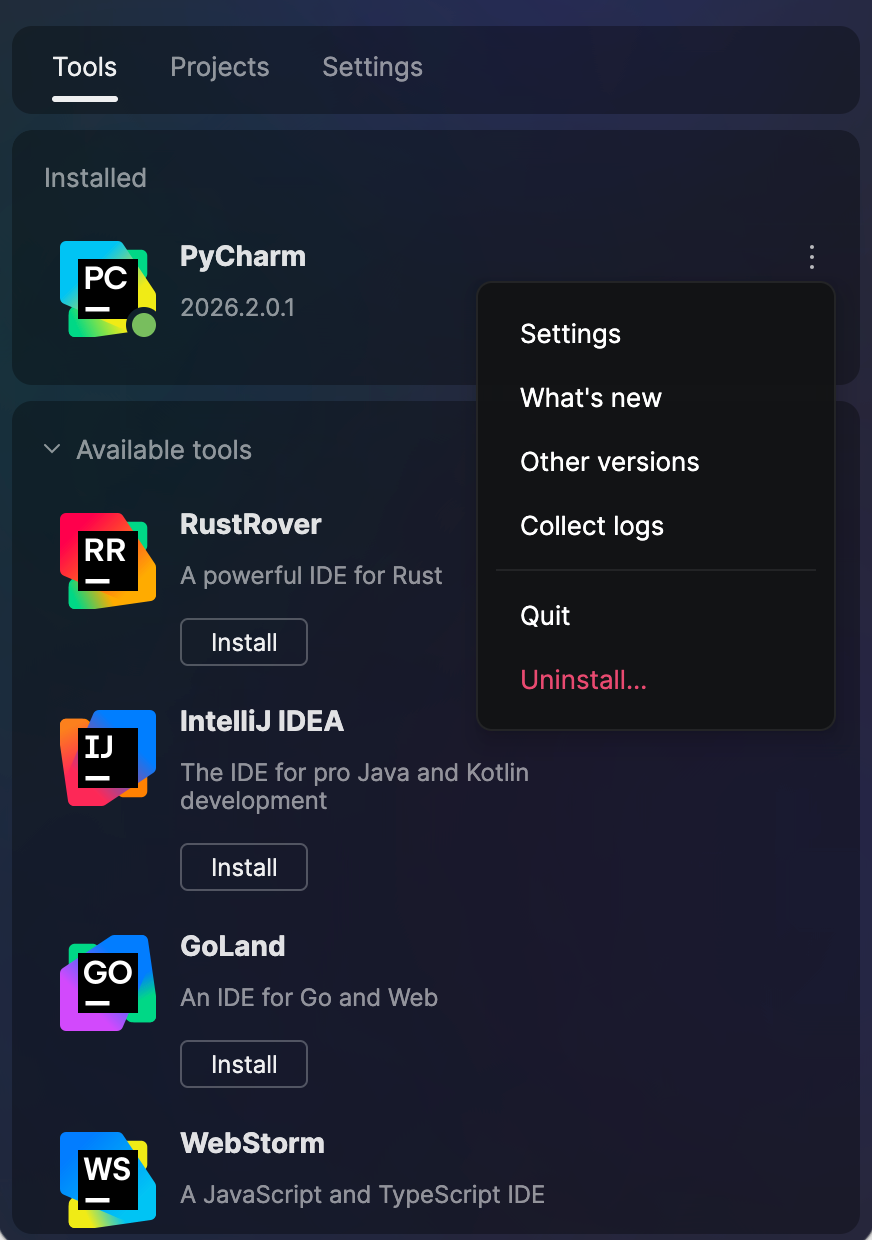
I’m trying to install the Community Edition of JetBrains PyCharm on an SSH server. However, in the JetBrains Toolbox, I only see a PyCharm entry and I’m not sure whether it is the Professional or Community version.
Could someone please assist me with installing the Community Edition of PyCharm directly on the SSH server?
Thanks in advance for your help!

Please sign in to leave a comment.
> I’m trying to install the Community Edition of JetBrains PyCharm on an SSH server. However, in the JetBrains Toolbox, I only see a PyCharm entry and I’m not sure whether it is the Professional or Community version.
> Could someone please assist me with installing the Community Edition of PyCharm directly on the SSH server?
The PyCharm Community and Professional editions have been merged into a single distribution called PyCharm.
Installing PyCharm should be fine. If you don't have a valid license, PyCharm will fall back to Community mode. If you have a valid license, PyCharm will provide the Professional features.
If you want to use Community Edition of PyCharm, you can install PyCharm and use it directly without entering licenses.
See our documentation for more details: https://www.jetbrains.com/help/pycharm/unified-pycharm.html
I saw that you also shared another screenshot, but that one is for IntelliJ IDEA.
Did you use the Remote Development feature with IntelliJ IDEA on an SSH server? Remote Development via SSH is an Ultimate feature that requires a valid license and cannot be used without one.
> https://www.jetbrains.com/remote-development/
> Can I get a license for remote development in the Community editions of IntelliJ IDEA and PyCharm?
> Remote development is not supported in IntelliJ IDEA Community Edition or PyCharm. You’ll need to upgrade your subscription to IntelliJ IDEA Ultimate or PyCharm Pro.